A Voice-Enabled Plug-In for Stress-Free Parking in Montreal

Summary
A UX case study on the pain points of Montreal’s parking signs, and how a Google Maps plug-in with voice control can help drivers find free parking zones and overcome these challenges.
My Role
Product Designer
Duration
Feb 2024 - April 2024
Tools & Methods
Figma, FigJam
Observation
Affinity Diagram
Persona
Competitor Analysis
I collaborated with two other designers for this project. This project was part of the INF627 course offered by McGill University
Secondary Research
Montréal parking signs: harder than a PhD
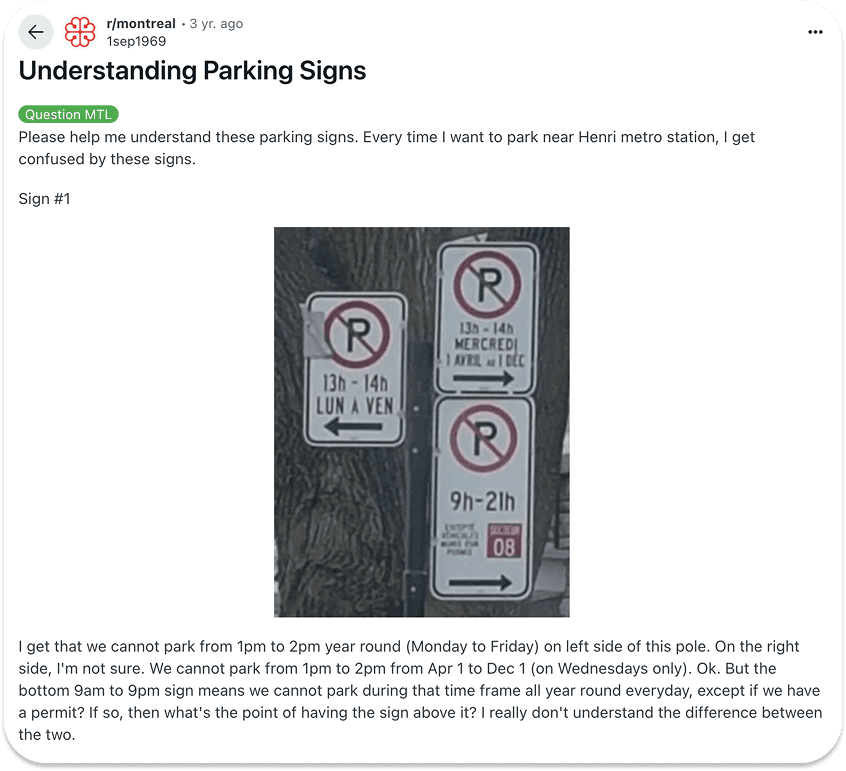
In Montreal, drivers often struggle to interpret free parking zone signs because they are cluttered with overlapping symbols, and complex time restrictions. Confusing signs lead drivers to hesitate, block traffic, and circle around, wasting time and increasing congestion. This also results in many drivers getting expensive parking fines.

Observing our users
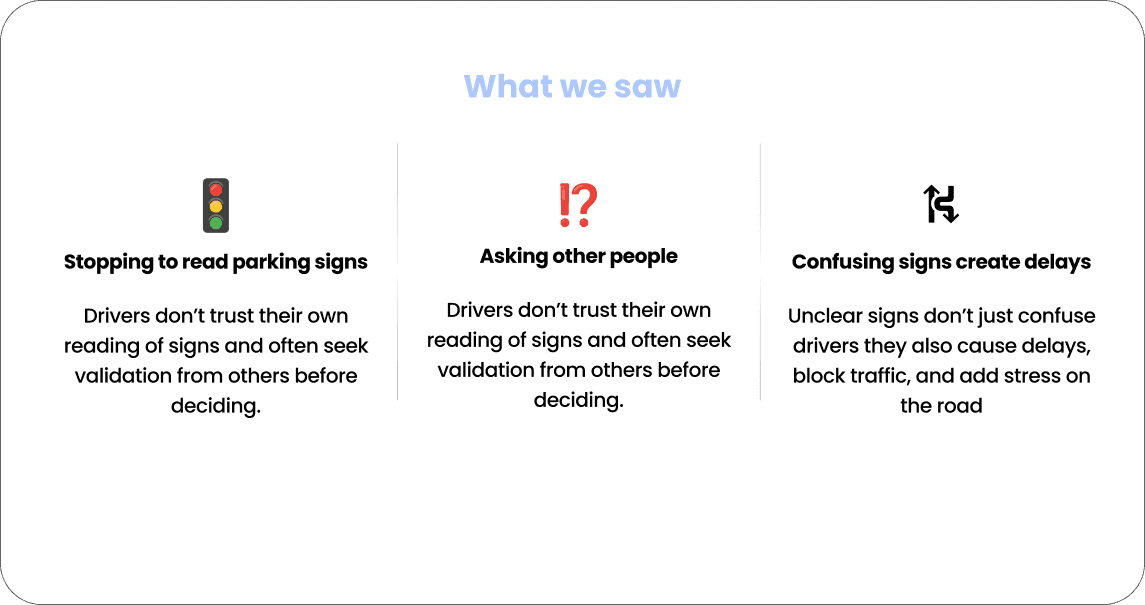
Drivers end up stepping out of their cars just to decode the sign they stopped for
To better understand drivers’ frustrations, we went into the streets and observed how people actually interacted with parking signs and dealt with the issue. While observing drivers interact with urban parking signs, we noticed that the challenge wasn’t just about finding parking, but about making sense of the rules quickly and safely
Looking into existing solutions
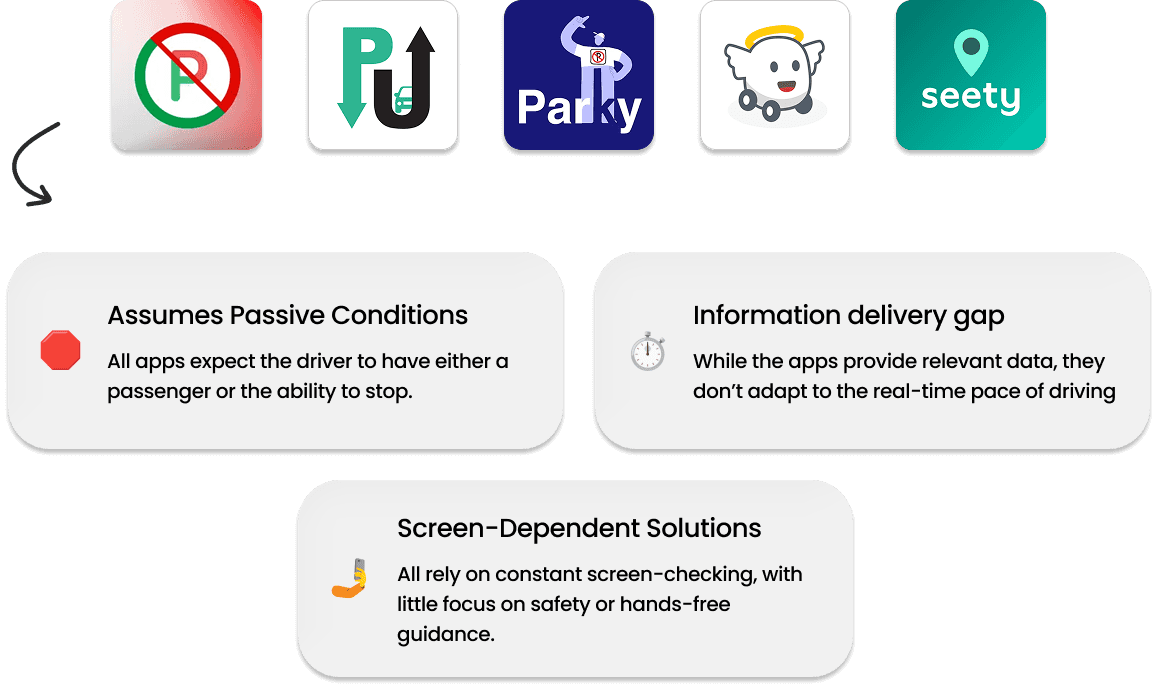
Parking apps miss the driver’s reality
Persona
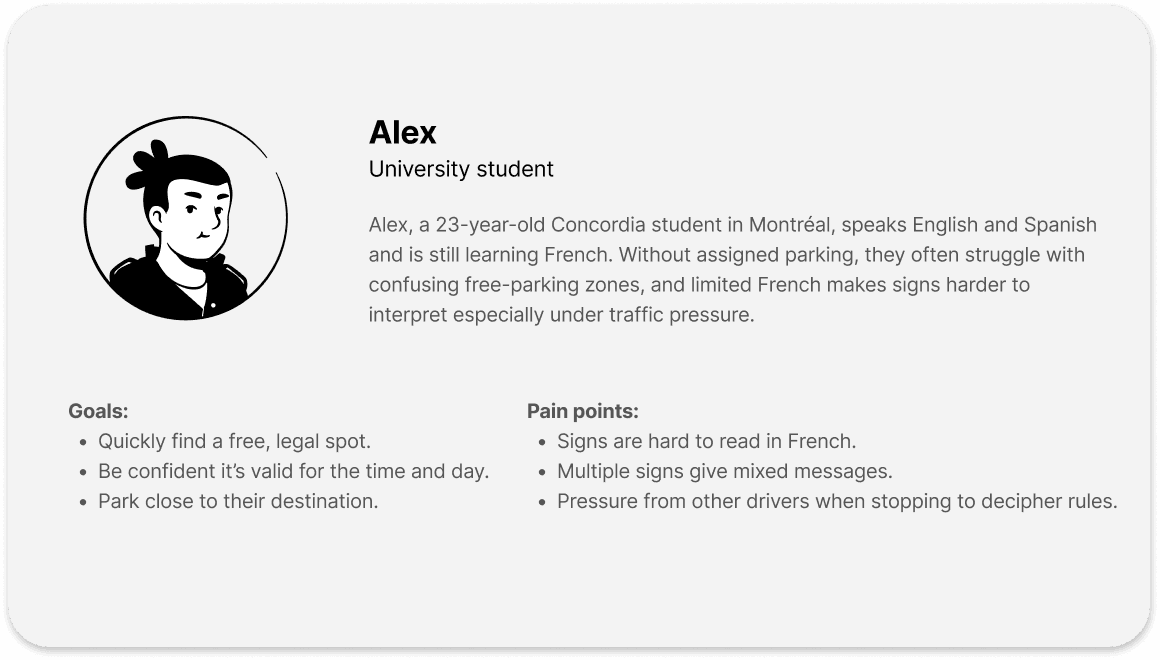
Meet Alex: Lost in Translation (and Parking Signs)
Brainstorming different solutions
Real issue isn’t just unclear signs but the unsafe context of reading them
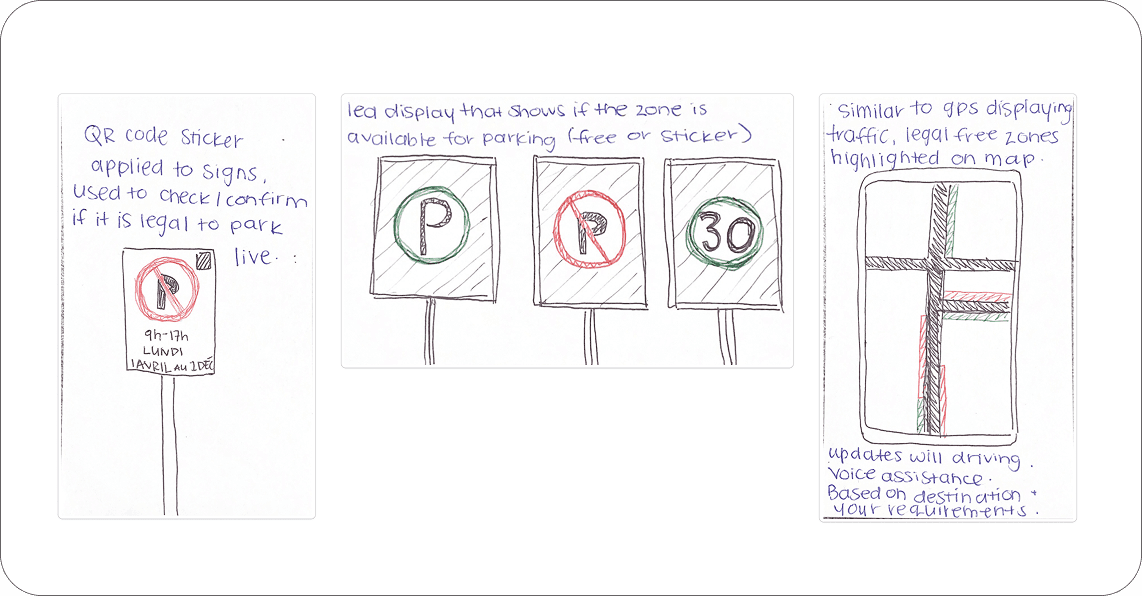
We explored many ideas, like QR code stickers on signs, but they still distracted drivers. Instead, we focused on navigation-based guidance that reduces interpretation and helps find legal parking in real time.
Seeing what’s really going on
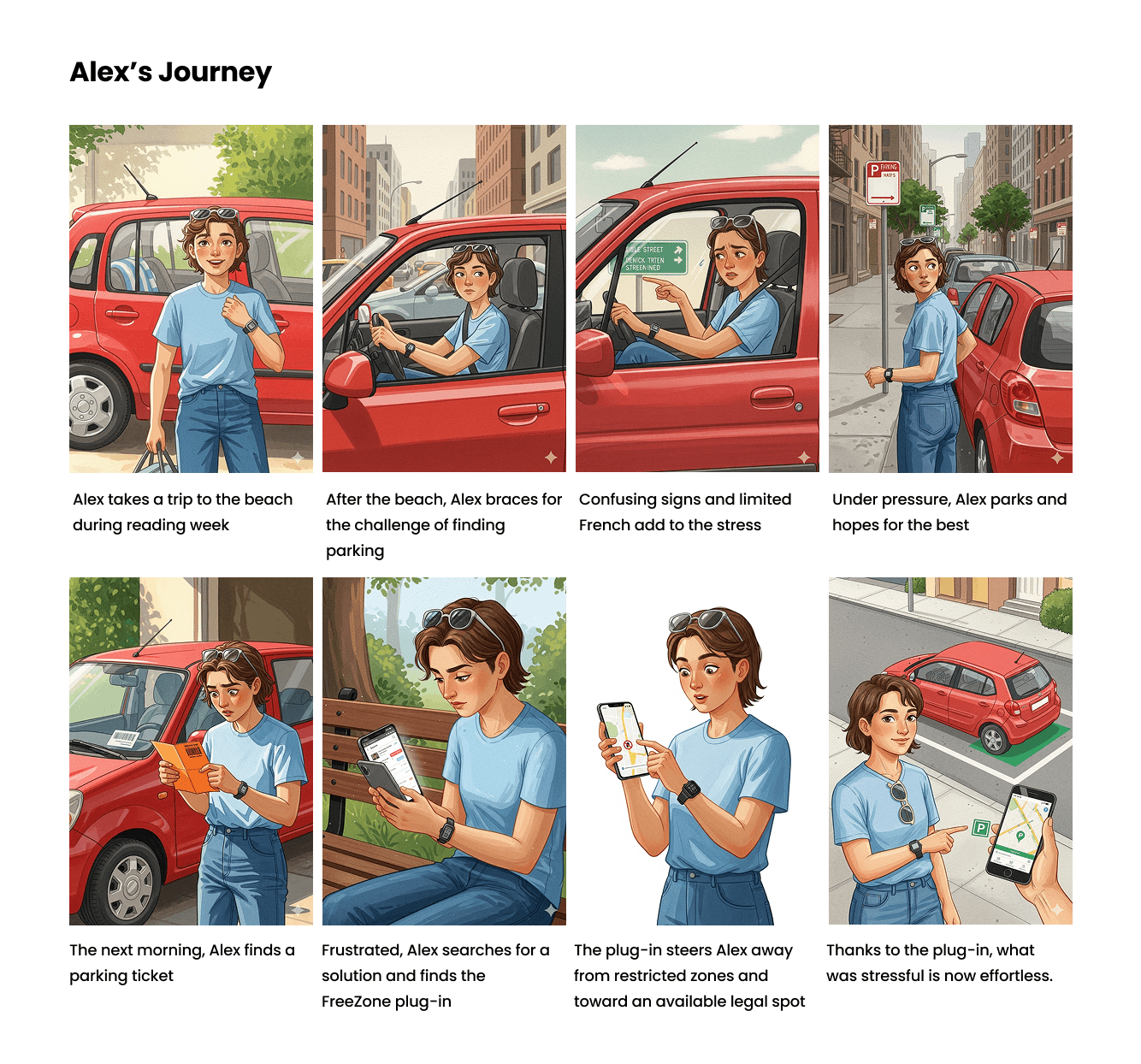
How users experience the problem and how our plug-in helps them overcome it
The storyboard shows parking confusion and reveals where the plug-in is most needed.
First design steps
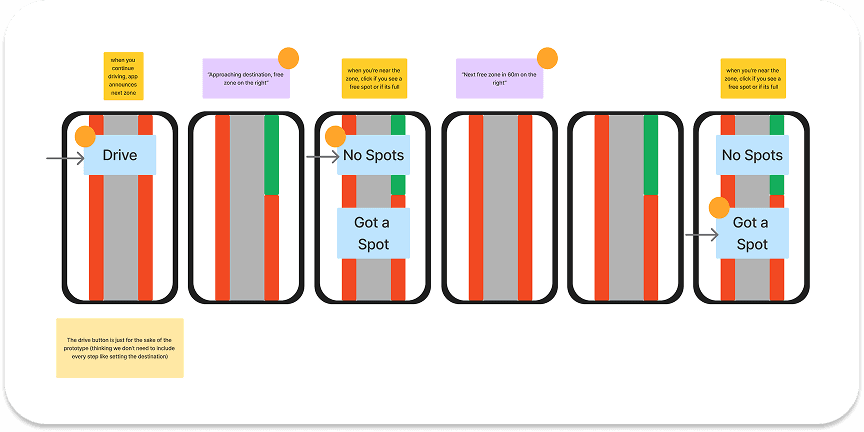
Designing for Hands-Free Parking Help
In wireframing, we focused on how drivers could use the plug-in without touching the screen. We solved it by adding voice commands.
Final look
The goal was not visual complexity, but clarity and consistency
At this stage, the focus was on making the interface as simple and safe as possible for people who are already in motion. Since FreeZone is used while driving, everything needed to be clear, fast to understand, and usable with minimal attention. I created a small, consistent design system covering the main actions, navigation, filters, search, location pins, icons, and voice interactions.

Considerations
Why the design looks like this
The colors were chosen for high contrast so everything stays readable in daylight and while moving. The buttons are large, the actions are limited, and every screen stays focused on one main task: helping the user find legal parking without stress. UI elements were built as reusable components so the system can easily scale with new features, parking rules, or location types without losing consistency.

Final Words
Designed for moving, not for reading
The real problem was not just unclear parking signs, but the unsafe situation in which people are expected to read and interpret them. Designing for someone who is actively driving completely changed how I think about interaction, attention, and safety.
I learned that reducing options is often more powerful than adding features. By limiting actions and simplifying visuals, the experience became stronger, clearer, and safer. This project also pushed me to think beyond screens and treat voice as a core interaction, not just an add-on.
If I continued this project, I would test the voice experience in real driving scenarios, improve data accuracy using city APIs, and explore predictive parking availability. FreeZone showed me how much impact a small, focused solution can have when it is truly designed for real-life conditions.